-
[Windows] NTP 서버 생성 및 동기화 (Windows 2022)Azure 2025. 5. 13. 14:38
*지난글 : [Linux] NTP 서버 생성 및 동기화 (Ubuntu 24.04)
https://bbiyak-cloud.tistory.com/158
[Linux] NTP 서버 생성 및 동기화 (Ubuntu 24.04)
NTP란? NTP(Network Time Protocol)는 인터넷이나 로컬 네트워크를 통해 정확한 시간 서버(NTP 서버)와 동기화하는 프로토콜즉, 네트워크로 연결되어 있는 컴퓨터들 간에 시간을 동기화하는데 사용하는
bbiyak-cloud.tistory.com
NTP 서버 생성
* 환경 : Windows 2022 1대 (10.5.0.4)
# Settings > Add Clocks for different time Zones 클릭

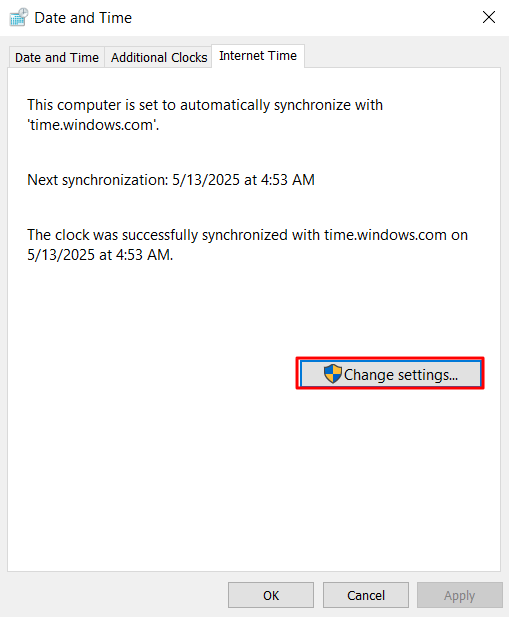
# Data and Time > Internet Time > Change Settings 클릭
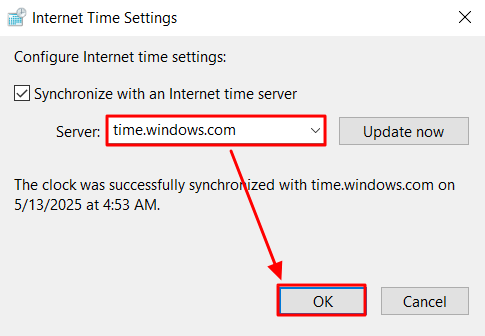
time.windows.com 설정 후 OK
NTP 서버 시간 동기화 설정
# 레지스트리 키 값 변경
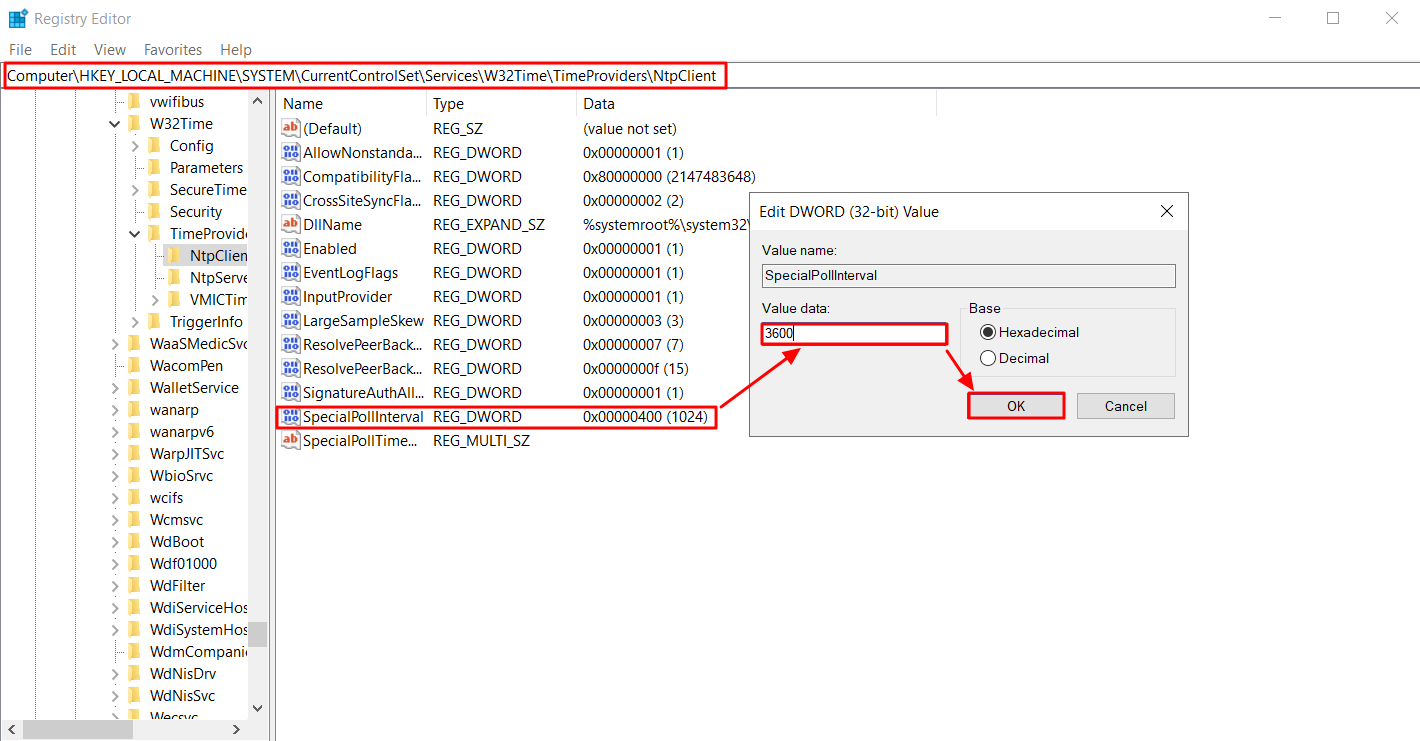
Registry Editor 접근
hkey_local_machine/system/currentcontrolset/W32Time/TimeProviders/NTPclient 이동
SpecialPollInterval에서 변경 (예시 : 1시간=3600초)
# 확인
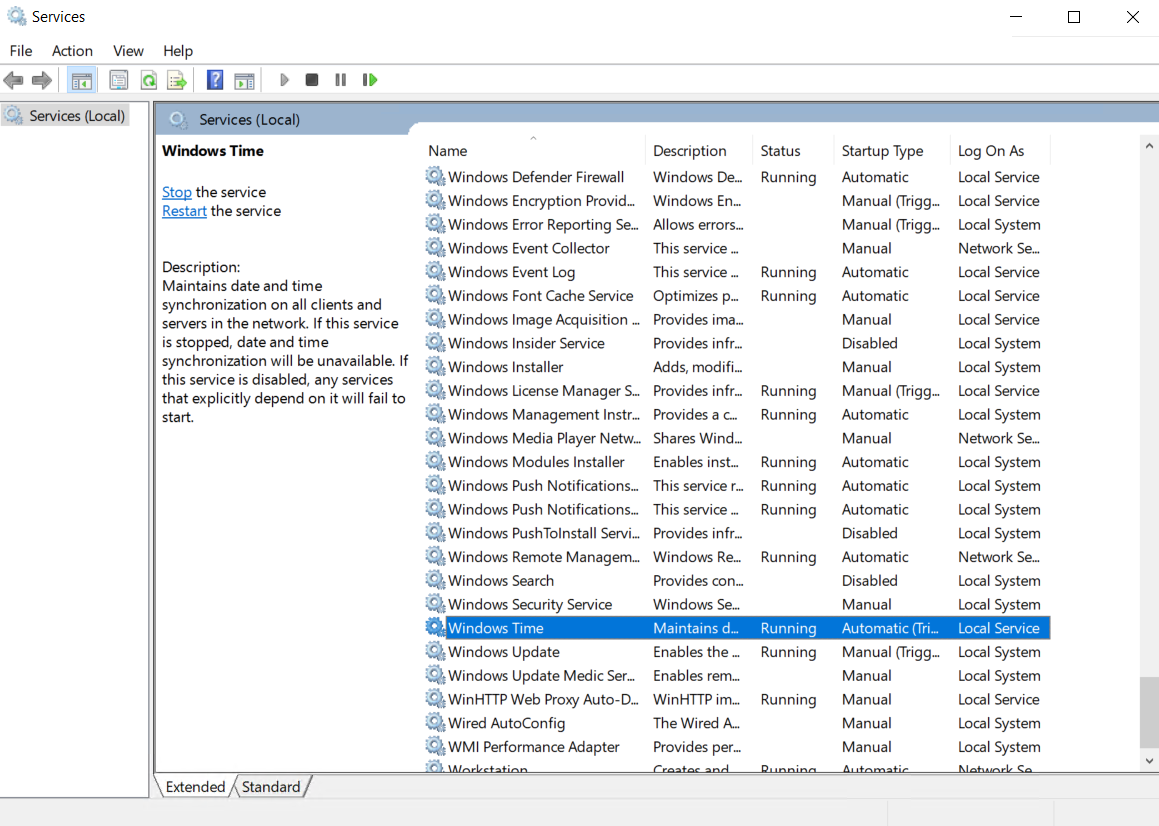
Services > Windows Time이 Running 상태 확인
시간 동기화가 잘 되고 있음
# NTP Server 기능 켜기

hkey_local_machine/system/currentcontrolset/W32Time/TimeProviders/NTPServer 이동
Enabled 클릭 > Value 값 1 입력 후 OK
NTP 클라이언트 설정
* 환경 : Windows 2022 1대 (10.5.0.5)
# Data and Time > Internet Time > Change Settings 클릭
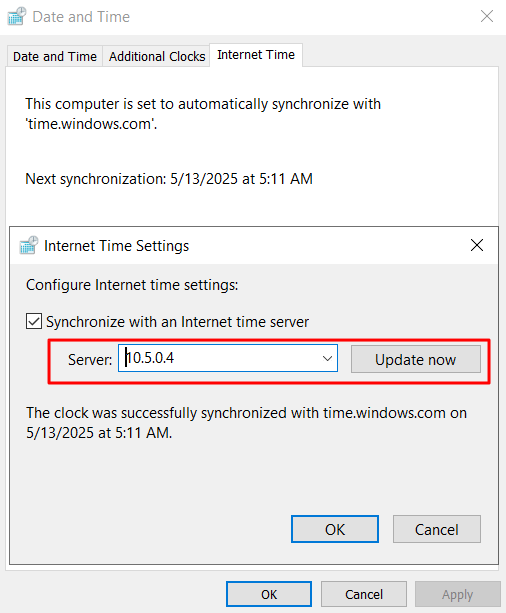
NTP 서버의 개인 IP 입력 후 Update now
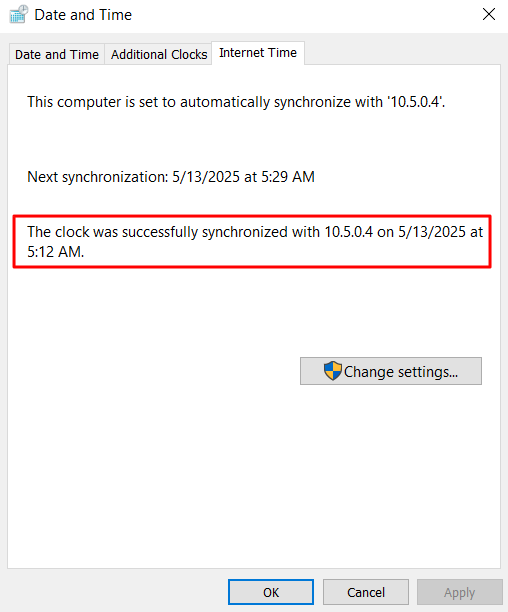
확인
[참고 문서]
'Azure' 카테고리의 다른 글
[Proxy] Forward Proxy (0) 2025.05.16 [Proxy] 프록시란? (0) 2025.05.16 [VM] cloud-init (0) 2025.05.12 [Azure] Osdisk 크기 축소 (0) 2025.01.07 [Azure] Azure SQL Server 및 SQL Database (1) 2024.12.24